Why Your Shopify Fitment Dropdown Is Slow (And How to Fix It)
If your YMM (Year/Make/Model) dropdown feels sluggish on a Shopify storefront, the cause is almost always one of four things. Here's how to diagnose and fix each one — with the trade-offs that actually matter.
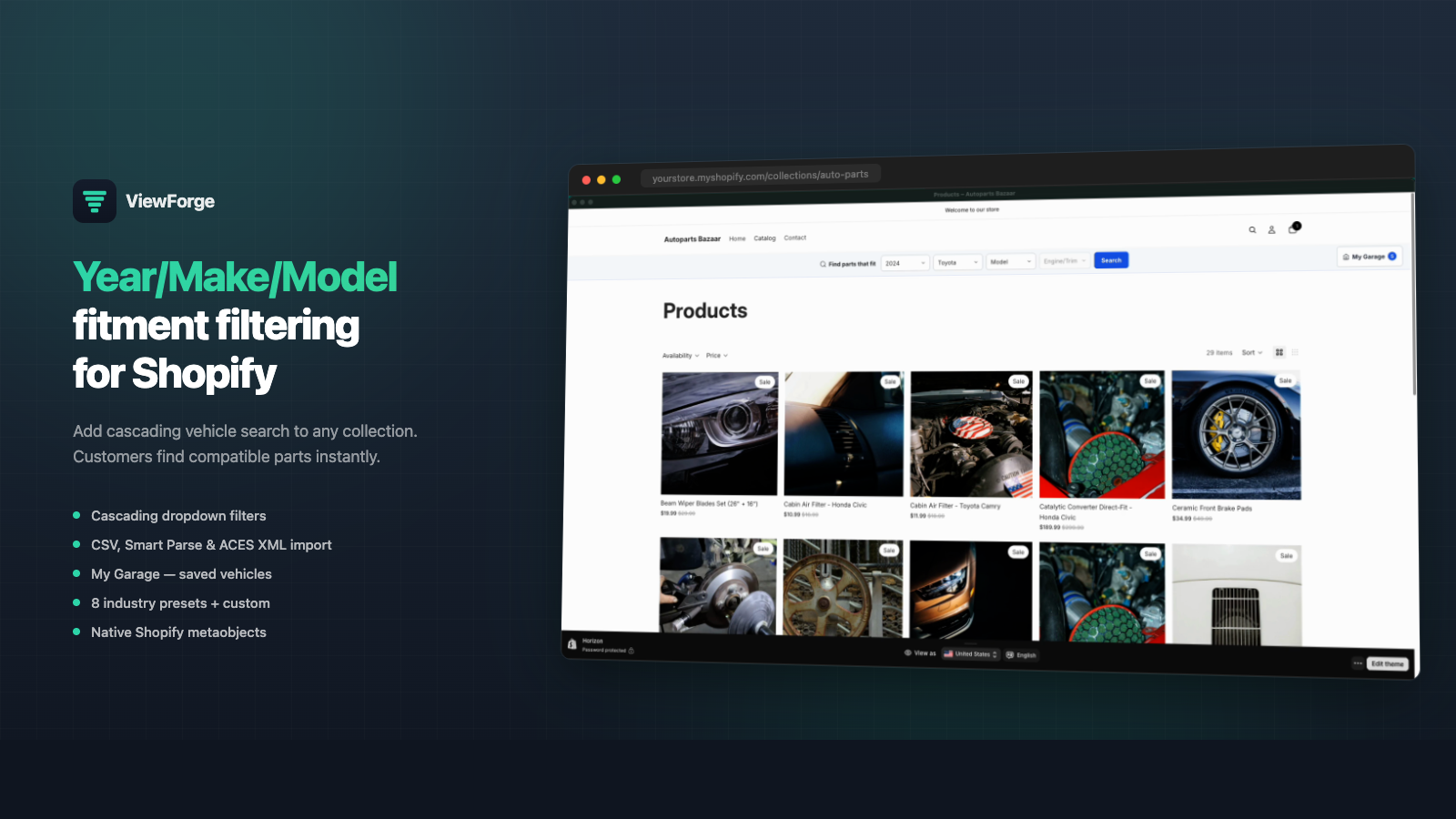
If you sell parts on Shopify and your customers complain that the Year / Make / Model dropdown is “slow,” the problem isn’t usually what the app vendor will tell you. It’s almost always one of four root causes — and each one has a different fix.
This post walks through the four causes, how to tell which one is hurting you, and what to do about each. We’ve shipped fitment search at scale on Shopify (it’s literally what ViewForge does), and these are the patterns we see over and over.
What “slow” actually looks like
Before you fix anything, get a real measurement. “Slow” can mean three different things, and they have different fixes:
- The dropdown takes time to appear when the page loads. This is a render / hydration problem.
- Picking a value (Year → Make) is laggy. The cascade between dropdowns feels like dial-up. This is usually a data-fetch problem.
- Hitting “Find Parts” is slow. Filtered results take seconds to render. This is a collection-filtering problem.
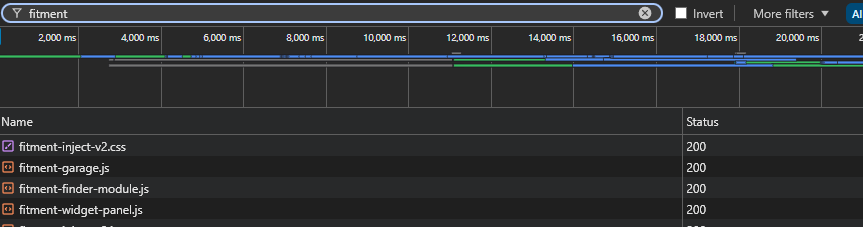
As developers we would usually open Chrome DevTools, go to the Network tab, and click through the dropdown. It shows exactly what’s happening on each interaction. If you see a network request fire on every dropdown change, that’s your culprit. If you see no requests but the page is janky, the JS bundle is your culprit. If the request is fast but the page rerender is slow, your collection filter is the culprit.
Cause 1: The external API on every dropdown change
This is the most common cause of slow YMM cascades on Shopify, and it’s structural — most YMM apps store your fitment data in their own external database, not in Shopify.
What happens on every dropdown change:
- Customer picks “2019” in the Year dropdown.
- App’s storefront JS makes a network request to the vendor’s API: “Give me all Makes available for Year 2019.”
- Vendor’s API queries their database (potentially across regions), serializes the response, sends it back.
- Storefront JS rebuilds the Make dropdown.
Best case, that round trip is 150–300ms. On bad days — vendor’s database is slow, customer is on the wrong side of the planet, or the app’s CDN is having a moment — it’s 1–3 seconds. Per dropdown change.
The fix: keep your fitment data inside Shopify. If your YMM app stores fitment as Shopify metaobjects, the dropdown can read directly from data already in the page or hit Shopify’s own GraphQL Storefront API (which is colocated with your store). Latency drops by an order of magnitude.
This is a structural choice your app makes for you. If the app you’re on uses an external database, the only way to fix this cause is to switch apps.
Cause 2: Liquid complexity and cold metafield reads
Even if your data lives inside Shopify, you can still tank performance by reading metafields the wrong way in Liquid.
We wrote up a long postmortem about this — The Invisible Shopify Render Tax — but the short version: reading shop.metafields.* inside a target: body theme app extension can blow past Shopify’s Liquid complexity ceiling and return HTTP 500. Reading product metafields without registered definitions is also slower than reading registered ones.
Symptoms: intermittent 500s, slow time-to-first-byte, cold-start jank.
The fix:
- Register every metafield definition you read.
- Don’t read
shop.metafields.*inside atarget: bodyextension. Usetarget: sectionor hoist the read up to the theme template. - If you must do many reads, batch them at the top of the template and pass values down via Liquid variables.
I asked the technical support team at Shopify to document this so all app developers can benefit, but this request was denied.
Cause 3: Unindexed collection filtering
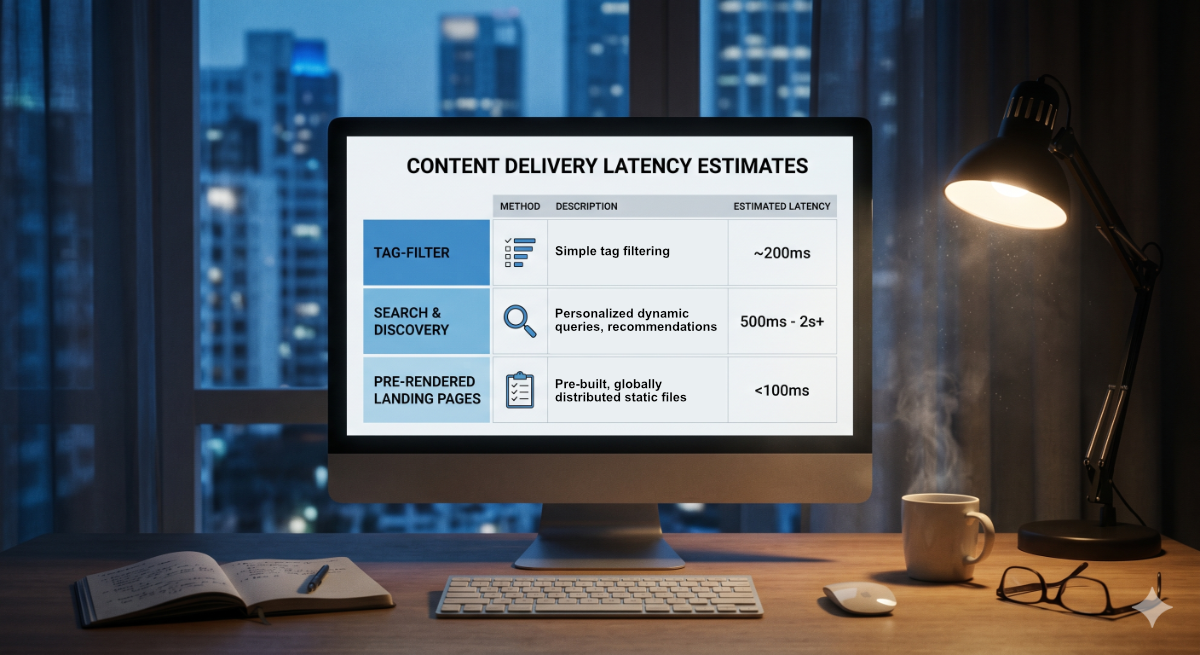
Once the customer hits “Find Parts,” your storefront has to filter the collection down to products that match the chosen YMM combination. If you have 500 SKUs, this is fast no matter what. If you have 50,000 SKUs, the strategy matters.
Most fitment apps filter by tag or metafield value on the collection page. Shopify collections support filtering, but the performance characteristics depend on:
- How many products in the collection. Tag filters get slow as collections grow. Above 5,000 products, you’ll feel it.
- How many filter dimensions. One tag filter is fine. Four nested filters compound.
- Whether the app uses Shopify Search & Discovery’s filtering or a custom JS filter. Search & Discovery is usually faster and cached at the CDN edge.
The fix: for catalogs over ~5,000 products, prefer apps that:
- Use Shopify’s native Search & Discovery filtering instead of a custom client-side filter.
- Pre-compute the matching product IDs server-side and pass them as a query param.
- Or generate per-vehicle landing pages (one page per Year/Make/Model combination) so filtering is just a URL — fully cached, instant, and great for SEO too.
Cause 4: Render-blocking JavaScript
Some YMM apps ship a 200KB+ JS bundle that has to download and execute before the dropdown appears. On a fast connection this is invisible. On a 4G connection — which is most of your customers — it’s a noticeable delay.
How to check:
- Open DevTools, throttle the network to “Slow 4G,” reload the page.
- Look at when the dropdown becomes interactive.
- In the Coverage tab, check what percentage of the YMM app’s JS is actually used on first paint.
The fix: there isn’t a great DIY fix here — you’re at the mercy of how the app’s bundle is structured. If the app’s JS is huge, look for a competitor that ships a smaller bundle or uses native Shopify theme blocks (which Shopify itself optimizes).
How ViewForge avoids these
ViewForge is built around the diagnoses above. Briefly:
- Cause 1: fitment data lives in Shopify metaobjects, not an external database. Dropdown cascades read from metaobjects via Shopify’s GraphQL Storefront API — no third-party round trips.
- Cause 2: every metafield definition ViewForge writes is registered. We hit the Liquid render-tax problem in our own dogfooding and shipped the registration fix; we wrote up the postmortem so other developers don’t repeat it.
- Cause 3: ViewForge hands the filtering off to Shopify’s own free engine (Shopify Search & Discovery) when your store has it enabled, so results come from Shopify’s fast, globally-cached servers instead of being computed in the customer’s browser. For larger catalogs (above ~5,000 products), ViewForge can also auto-generate a separate, instantly-loading page for every vehicle that has parts — each one loads as fast as any plain page on your store, shows up as its own result in Google, and can be linked to directly from forums or social posts.
- Cause 4: the storefront bundle is small and async-loaded as a theme block.
We’re not the only option — but if your fitment dropdown is slow today and the cause is one of the four above, switching to a metaobject-native, complexity-aware app fixes most of it.
TL;DR
If your Shopify fitment dropdown is slow, in order of frequency:
- External API on every change → switch to a metaobject-native app.
- Liquid complexity / unregistered metafields → register definitions, refactor the reads.
- Slow collection filter → use Search & Discovery or pre-rendered landing pages.
- Heavy JS bundle → measure on Slow 4G, switch apps if the bundle is bloated.
Diagnose before you fix — the wrong fix won’t move the needle, and “the app is slow” is rarely the actual problem.